> For the complete documentation index, see [llms.txt](https://docs.bifrostnetwork.com/eng.btcfi.one/llms.txt). Markdown versions of documentation pages are available by appending `.md` to page URLs; this page is available as [Markdown](https://docs.bifrostnetwork.com/eng.btcfi.one/earn/staking-your-lp-tokens-everdex.md).
# Staking your LP tokens (Everdex)
After providing liquidity, you can stake your newly received LP tokens to receive additional token rewards. Complete the following steps to earn even more on your investment!
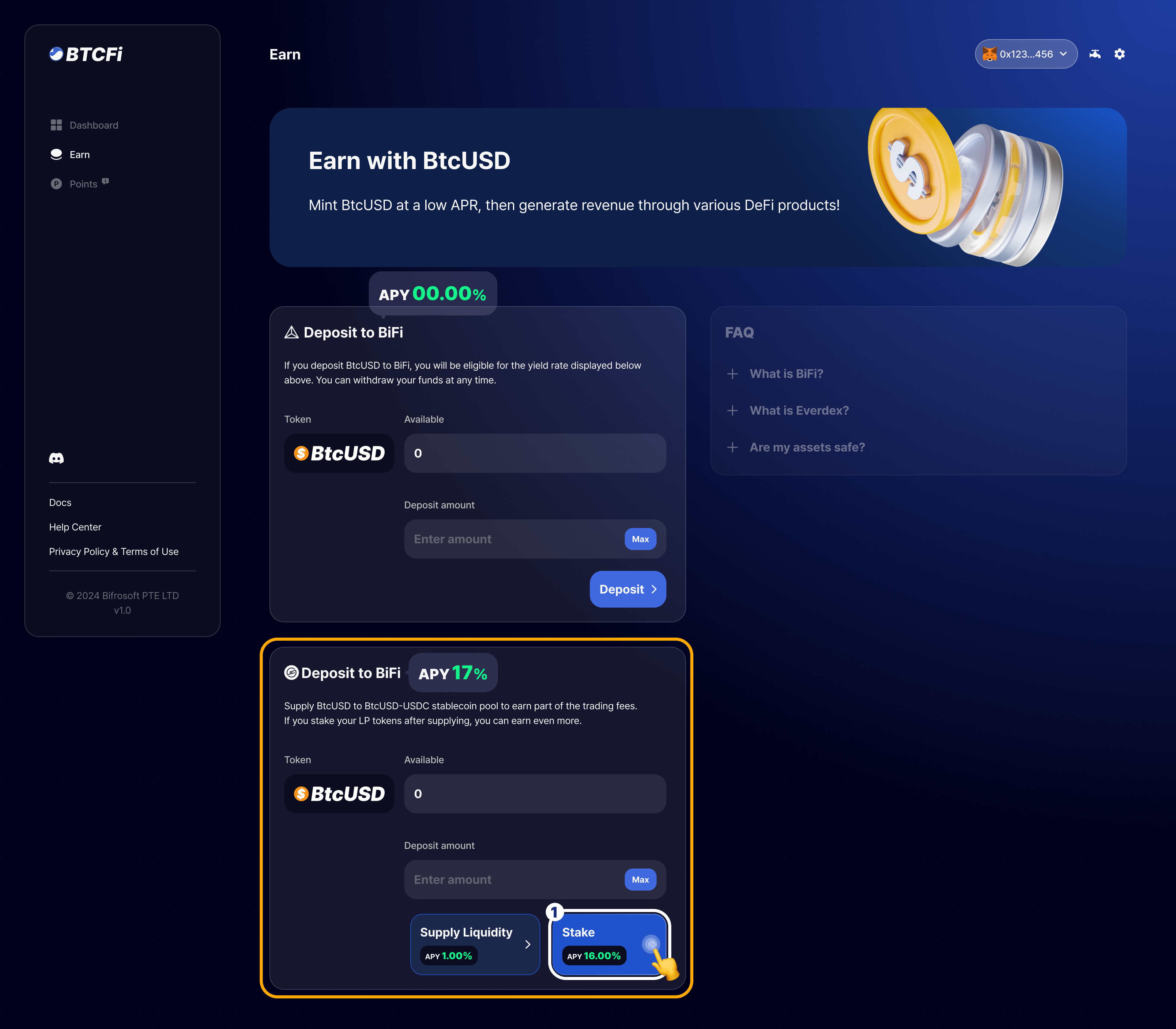
1. Click on `Stake` button to enter the amount of LP tokens to stake. \
*\*If it is your first time staking, an additional approval process in your wallet is required.*
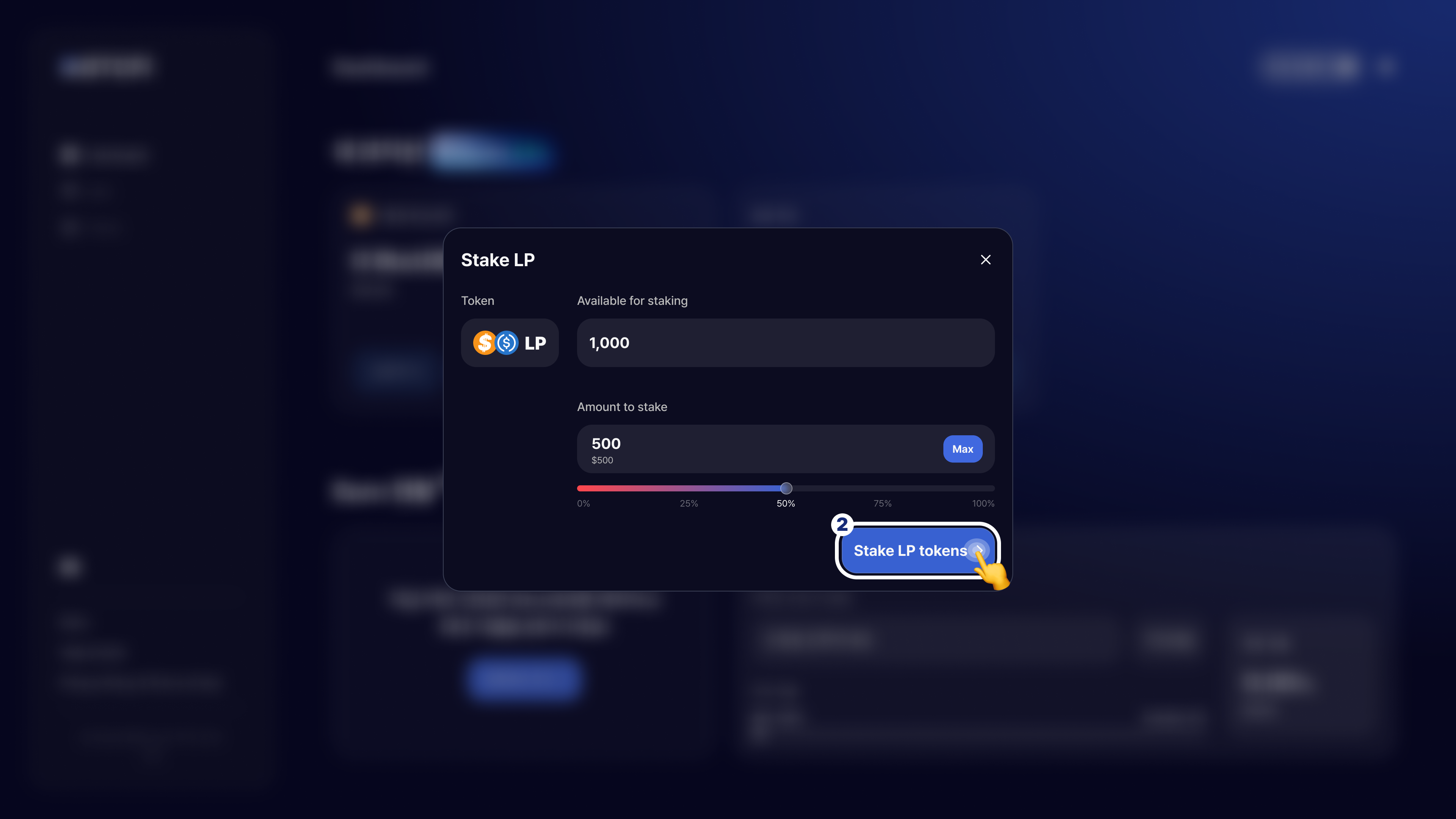
2. Enter the amount of LP tokens, then click on `Stake LP tokens` to complete the step.
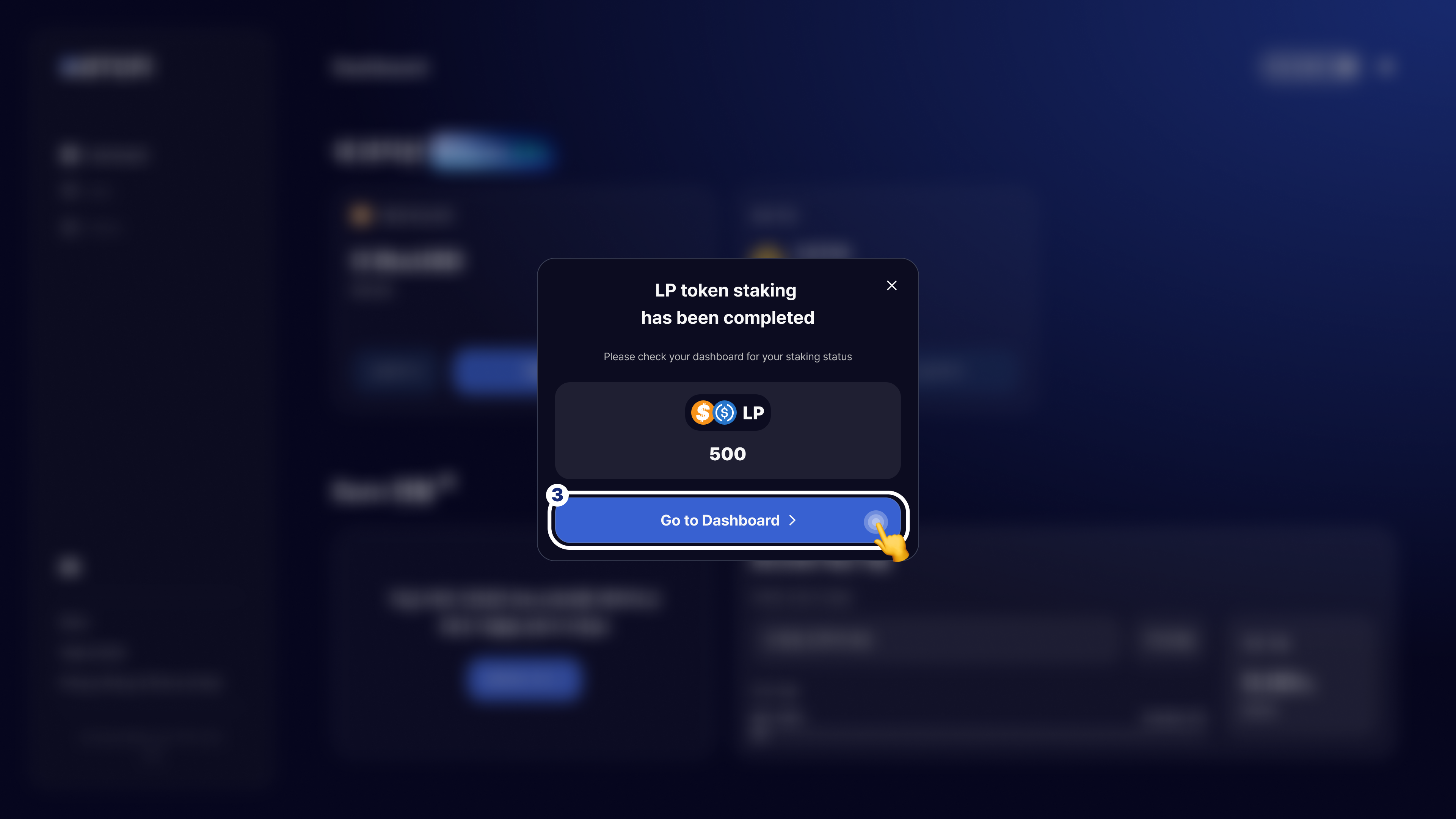
3. You have successfully staked your LP tokens. You can click on `Go to Dashboard` button to find your reward status.