---
description: BFC 언스테이킹 방법 알아보기
---
# BFC 언스테이크
1. [바이프로스트](https://www.bifrostnetwork.com/stake) [스테이킹 페이지](https://www.bifrostnetwork.com/stake)에 접속합니다.
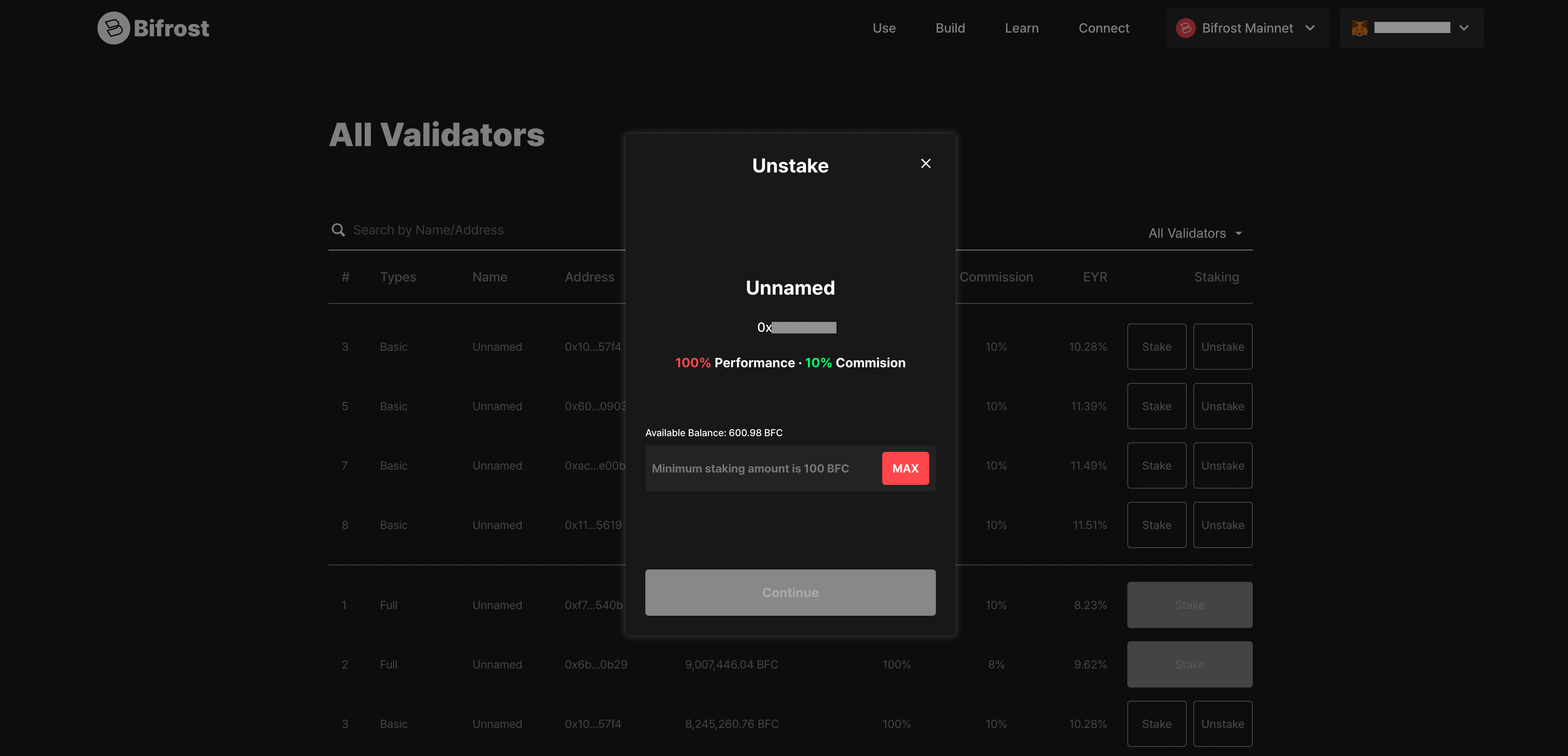
2. 지갑을 연결한 후, "모든 밸리데이터 (All Validators)" 섹션에서 언스테이킹할 자산 선택후 , 수량을 입력한 뒤 “계속(Continue)” 버튼을 클릭합니다.
3. 지갑에서 "승인 (confirm)"시, 다음과 같은 팝업 메시지가 표시됩니다. “확인 (Confirm)” 버튼을 클릭하면 언스테이킹이 완료됩니다.
4. “내 스테이킹 현황 (My Staking Status)” 섹션에서 언스테이킹 요청 내역을 확인할 수 있습니다.
5. 보상은 언스테이킹 기간이 종료된 이후에 수령할 수 있습니다. 해당 기간은 “내 스테이킹 현황”에서 확인할 수 있습니다. 언스테이킹 처리 완료 후에는 언제든지 출금을 요청할 수 있습니다. (※ 처리 시간은 요청 시점에 따라 달라질 수 있습니다)
궁금한 점이 있다면 [디스코드(Discord)](https://discord.com/invite/bifrostcity)를 통해 문의해 주세요.
.png)
.png)